How I Use ArbiSight to Find Crypto Arbitrage Opportunities Without Spending Hours on Research
When I started trading arbitrage back in 2019, my setup was embarrassing. Six browser tabs open, one per exchange. Spreadsheet on the side calculating spread percentages by hand. Telegram group pings from other traders about opportunities that had already closed by the time I saw them.
Eventually I found a better way.
This is a practical walkthrough of how I use ArbiSight today to cut that research time dramatically — from spotting live gaps, to running funding analysis, to having the app send me Telegram alerts so I can stop staring at screens all day.
Start With the Live Arbitrage Scanner
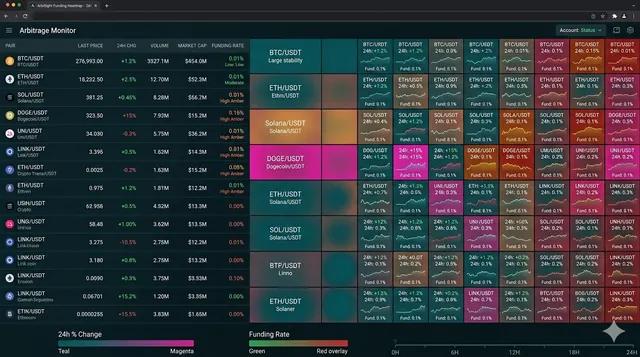
The first thing I open every morning is the Live Crypto Arbitrage screen.
It does exactly what it sounds like. It pulls price data across multiple exchanges simultaneously and shows you where the gaps are right now — no tab switching, no manual comparison.
What I like about this screen is that it shows live connection status per exchange, so if an API is down or throttled I can see it immediately and not trust stale data. I have burned money before entering a trade based on a number that was 30 seconds old on a thin market. This indicator alone saves me from that.
I use the exchange filter to narrow it down to the three or four venues I actually have accounts on. No point looking at gaps I cannot act on.
If something looks interesting, I click the coin and it opens the funding chart modal — which lets me see the context without leaving the page.
Do Not Skip the Enhanced Analysis Step
The scanner shows live price gaps. The Arbitrage Profits screen goes deeper — it runs a proper funding and orderbook spread analysis across exchange combinations.
You pick a symbol, select your exchanges, hit Analyze, and it returns a ranked table by exchange pair: funding fee differential, raw funding diff per leg, spread quality on the orderbook for each side.
This is the part most newer arbitrage traders miss. A price gap can look attractive at the top level and then completely fall apart when you look at the funding drag and the spread you will pay on both entries.
I use this before committing to anything over a few thousand dollars. Takes maybe 90 seconds and has saved me from several bad trades where the gross spread was real but the net after fees was close to zero.
If I see a pair I like, I click that row and it opens the funding chart for that specific combination. Useful for spotting whether the spread has been consistent or just spiked once.
The Watchlist Is How I Track What I Care About
I do not trade every symbol that the scanner surfaces. After a while you develop a feel for which assets tend to have persistent, reliable funding differentials — the boring ones that keep delivering rather than the coins that spike once and disappear.
My watchlist on ArbiSight has maybe 12 to 15 symbols at any given time. Each one has the basic position details saved — exchange pair, entry levels, quantity — and I can see how they are tracking over time.
When I see something new on the scanner that I want to monitor before trading, I add it to the watchlist without opening a full position. That way it stays in view during my daily check without cluttering my active positions.
Setting Telegram Alerts Changes the Game Completely
This is honestly the feature I recommend most to traders who are spending too much time watching screens.
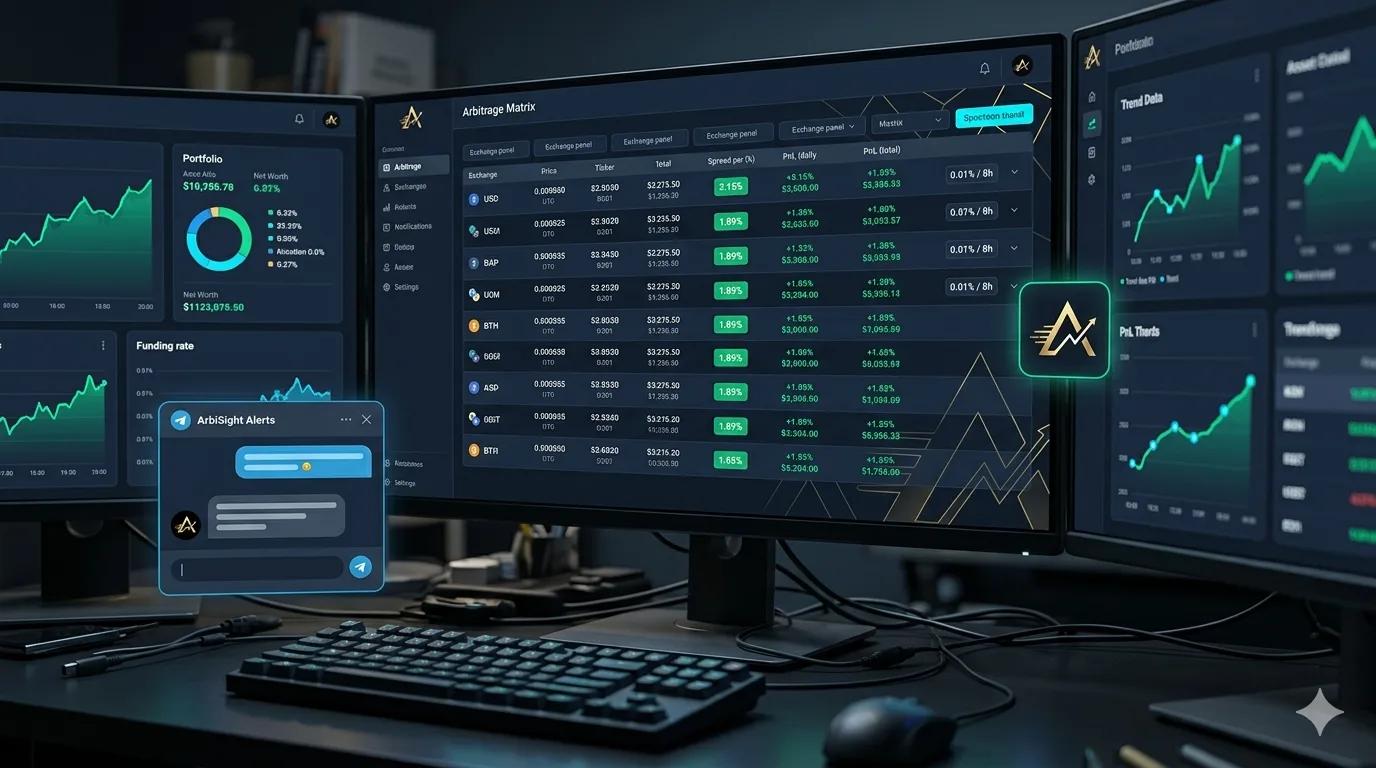
The Alerts section lets you configure threshold-based Telegram notifications. When conditions you care about happen, the app pings you. You are not checking; you are being told.
There are a few alert types I have set up:
Market Opportunity alerts — triggers when the funding rate differential between exchanges crosses a threshold you set. I have mine at a level where I know the net edge after fees is still positive at my typical position size.
Price Opportunity alerts — I set a minimum price difference percentage (I use around 1%), with an optional funding fee ceiling so it does not alert me on situations where the gross spread looks good but the funding drag would eat most of it.
Cycle PnL and Risk Projection alerts — once you have active positions, these keep you informed on how they are performing relative to funding cycle expectations and flag if projected outcomes are shifting.
The setup takes maybe 20 minutes the first time. After that it runs in the background. My actual research time per day dropped significantly once I stopped checking exchanges manually and started letting the alert system do that work.
To connect Telegram you just add your @username in settings, run /start with the bot, and verify the connection. Takes 5 minutes.
Track Every Position in One Place
Once I am in a trade, I log it in the Portfolio Management section.
This sounds basic but it genuinely matters. Tracking two-legged positions — one spot, one perpetual, across two different exchanges — is not straightforward in a spreadsheet once you have several open at once. The portfolio section handles the math for you and shows consolidated PnL accounting for accumulated funding.
There are tabs for active positions, closed history, and an exchange-level breakdown. I check the overview tab once a day during active management periods and use it as my decision dashboard: what is performing, what is lagging, what might need to be closed.
Use the Slow Entry Tool When You Are Not Sure About Timing
If I find a good opportunity but I am not confident about committing full size immediately — maybe the funding has been positive for only a couple of intervals, or the market looks a bit volatile — I use the Slow Entry Strategy workflow.
This tool groups related sub-positions under one parent and lets you scale in gradually. So instead of committing $10,000 at once, I might enter $3,000, watch the next funding cycle, and then add more if the differential holds.
ArbiSight pre-fills the delta quantity when you add to an existing slow entry chain, which removes some of the friction of manually tracking how much you have already entered versus your target size.
I generally use this when the spread is in the 0.2% to 0.4% range — worth pursuing but not so obvious that I want to rush in at full size.
Time Your Entries Using the Funding Cycle
One timing trick I have been using since early 2020 is entering positions just before the funding cycle closes.
Most major exchanges settle funding every 8 hours. If I enter my short perpetual leg about 5 minutes before settlement, I collect the upcoming funding payment almost immediately rather than waiting a full cycle. It is not magic — you still need the differential to be real and persistent — but it does accelerate when you start seeing return on a new position.
The Funding Cycle Timing Strategy page inside ArbiSight walks through exactly how to use this without overcomplicating it.
Use the Orderbook Snapshot Before Executing
Before I execute either leg of a trade, I check the Orderbook Snapshot.
This shows the orderbook for the same asset side by side across exchanges at the same moment. The point is to understand whether the liquidity is real at the price I expect, and whether the spread I am seeing on the scanner will hold when I actually place a market or limit order at my intended size.
I have learned that a 0.3% apparent gap can compress to almost nothing if the orderbook on one side is thin and my order moves the price. Checking this before entry is one of the habits that separates consistent traders from ones who are always surprised by their actual fills.
What This Workflow Looks Like Day to Day
Here is roughly what my daily routine looks like when I am actively managing positions:
- Glance at the live arbitrage scanner in the morning. Any new obvious gaps?
- Check portfolio overview. Any positions behaving unexpectedly?
- Telegram notifications come in throughout the day when thresholds are hit.
- When an alert fires, I check the enhanced analysis for that pair to validate the edge.
- If it holds up, I check orderbook quality, then execute if the entry makes sense.
- Log the position in portfolio management immediately.
The whole active part of that is maybe 15 to 30 minutes depending on how busy the market is. The rest is the app doing the monitoring.
Final Thought
ArbiSight is not a magic button. You still need to understand what you are looking at and make real decisions with real money.
But the tools genuinely reduce the part of this workflow that used to be exhausting — the constant manual checking, the tab switching, the fear of missing something because you were not watching at exactly the right moment.
If you are new, I would start with the live scanner and enhanced analysis, get familiar with what good versus mediocre spreads look like for your target assets, and then layer in the alerts once you know what thresholds actually make sense for your position sizing.
Disclaimer: This article is for educational and informational purposes only and is not financial advice. All trading decisions are your own responsibility.